I still remember the first time a client called me, furious, because their “beautifully designed” site was taking eight seconds to load on mobile. I opened DevTools, ran a quick audit, and found the culprit in about four minutes: three unminified JS bundles, a hero image straight out of a DSLR, and zero caching headers. That call was years ago, but honestly, not much has changed about why sites are slow — what’s changed is how much less patience users have for it. Website speed optimization isn’t a “nice to have” anymore. It’s the difference between someone reading your content and someone hitting the back button before your logo even renders.
If you’re a developer heading into 2026 wondering what actually moves the needle, this checklist is for you. No fluff, no recycled “compress your images” advice without context — just the stuff I actually walk through when a site needs to be fast, not just functional.
Table of Contents
Why Website Speed Optimization Still Matters More Than Ever
Google’s Core Web Vitals aren’t going anywhere, and if anything, they’re getting stricter about how they weigh real-user experience over lab data. But here’s the thing I tell every junior dev I mentor: don’t optimize for the algorithm, optimize for the human on the other end of a spotty 4G connection. Website speed optimization, at its core, is an empathy exercise. You’re removing friction between someone’s intent and the thing they came for.
That said, there are business reasons too — bounce rates drop, conversions climb, and your server costs actually go down when you’re not shipping bloated payloads to every visitor. So let’s get into the actual checklist.
The Core Website Speed Optimization Checklist for 2026
1. Audit Before You Touch a Single Line of Code
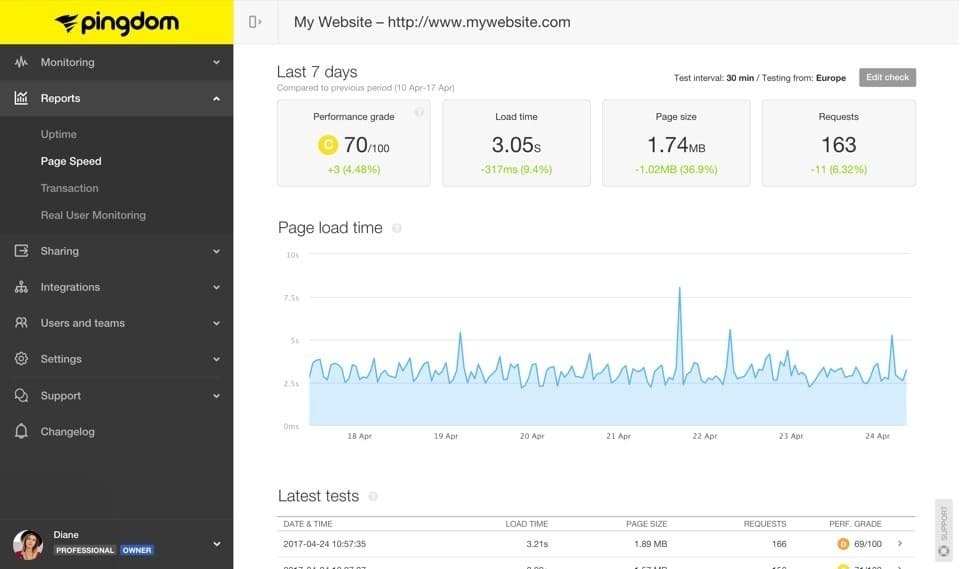
I know it’s tempting to jump straight into “fixing” things, but every solid website speed optimization project starts with measurement. Run Lighthouse, check PageSpeed Insights, and — this is the part people skip — look at real user data from something like Chrome UX Report or your own RUM tooling. Lab data lies sometimes. Real users on real devices tell the truth.
2. Images: Still the Biggest Offender
I say this every year and I’ll keep saying it: images are usually the single heaviest thing on a page. In 2026, there’s really no excuse to not be using AVIF or WebP with proper fallbacks. Lazy-load anything below the fold, serve responsive sizes with srcset, and for the love of all things holy, stop uploading 6MB PNGs straight from a design tool without running them through a compressor first.
3. Ship Less JavaScript
This one’s personal for me. I spent a whole weekend once tearing apart a site that had four different date-picker libraries loaded because nobody bothered to check what was already imported. Code-split aggressively, tree-shake your bundles, and question every dependency before you npm install it. Ask yourself: do I need this whole library for one function?
4. Get Serious About Caching and CDNs
A good CDN setup with proper cache-control headers can single-handedly transform how fast your site feels globally, not just for visitors near your origin server. If you’re still serving static assets straight from your main server in 2026, that’s low-hanging fruit worth grabbing today.
5. Font Loading Deserves Its Own Line Item
Fonts are sneaky. A poorly loaded web font can cause layout shift or a flash of invisible text that tanks your Cumulative Layout Shift score. Use font-display: swap, preload critical fonts, and honestly, consider whether you need that fourth font weight at all.
6. Minify, Compress, and Enable Brotli
It sounds basic, but I still find sites in 2026 without Brotli or even Gzip compression enabled. This is a five-minute server config change that can shave real weight off every single request. Pair it with minified CSS and JS, and you’re already ahead of most of the web.
7. Reduce Third-Party Script Bloat
Analytics tags, chat widgets, ad scripts, social embeds — they all add up, and they’re often the hardest to optimize because you don’t control the code. Audit what’s actually earning its place on the page. I’ve removed entire marketing pixels that nobody on the team even remembered installing.
Advanced Website Speed Optimization Techniques Worth Trying
Once you’ve nailed the basics, 2026 gives developers a few newer tools worth exploring:
- Edge rendering and edge functions — pushing logic closer to the user instead of round-tripping to a central server.
- Partial hydration / islands architecture — if you’re on a modern framework like Astro or Qwik, you can ship dramatically less JS by only hydrating the interactive bits.
- HTTP/3 and QUIC — if your hosting supports it, the connection overhead savings are real, especially on mobile networks.
- Speculative prefetching — intelligently preloading the next likely page based on user behavior patterns.
A Personal Note on Getting This Right
Here’s something I’ve learned after years of doing this: website speed optimization is never really “done.” It’s not a checklist you complete once and forget. It’s more like maintaining a garden — you prune, you monitor, you catch the weeds (looking at you, unused CSS) before they take over again. Every new feature your team ships is a potential speed regression waiting to happen if nobody’s watching the metrics.
My advice? Build performance budgets into your CI pipeline. Make speed a conversation in every sprint planning meeting, not a fire drill three days before a launch. Trust me, your future self — and your users — will thank you.
Final Thoughts
Going into 2026, the fundamentals of website speed optimization haven’t dramatically changed, but the tools to achieve it have gotten smarter, and user expectations have gotten less forgiving. Whether you’re rebuilding a legacy site or shipping something brand new, run through this checklist, measure honestly, and remember: every millisecond you save is a small act of respect for the person on the other end of that connection.