So you’ve decided you need a website (or a redesign), and now you’re stuck at the first real fork in the road: how do you choose between WordPress, Webflow, and custom development? If you’ve spent even ten minutes Googling this, you already know everyone has an opinion, and most of those opinions contradict each other. One developer swears by WordPress, a designer friend won’t shut up about Webflow, and somewhere in the back of your mind you’re wondering if you should just hire an agency to build something from scratch. Honestly? All three answers can be right, depending on who’s asking. Let’s actually break it down like real people, not like a sales pitch.
Table of Contents
Why This Decision Feels So Confusing
Part of the problem is that WordPress, Webflow, and custom development aren’t really competing on the same axis. WordPress is a content management system with a massive plugin ecosystem. Webflow is a visual design tool that also happens to generate clean code. Custom development is, well, building the thing yourself (or paying someone to). Comparing them head-to-head is a bit like comparing a Swiss Army knife to a power drill to a fully equipped workshop — they all cut wood, but the experience of using each one is completely different.
This is exactly why so many people struggle with this decision in the first place — it isn’t really about which platform is “better,” it’s about which one fits your situation. Before you pick a lane, it helps to get clear on what you’re actually optimizing for. Is it speed to launch? Long-term flexibility? Budget? Who’s going to maintain the site after it’s live? Those answers matter more than which platform has the trendiest logo.
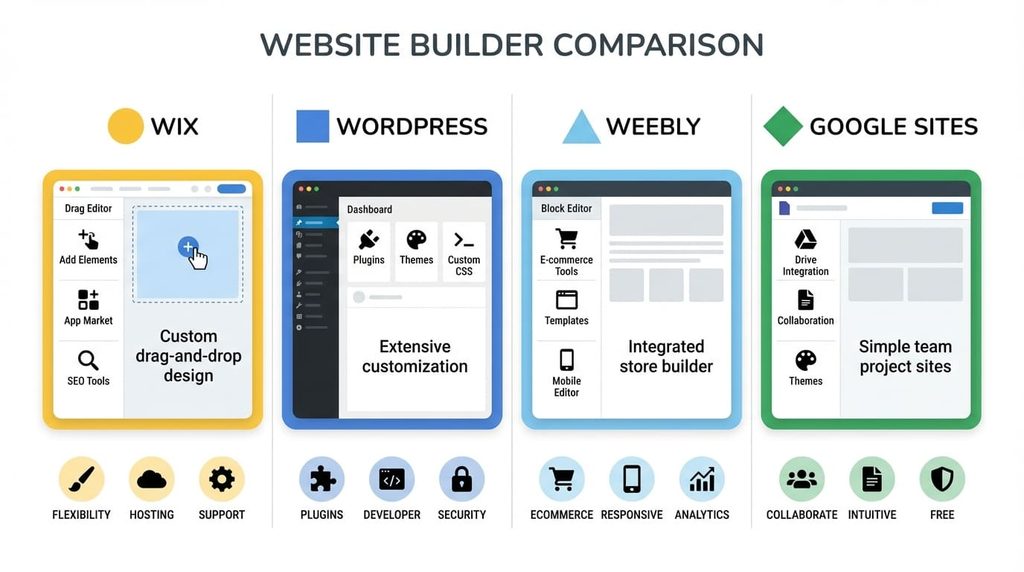
WordPress: The Old Reliable
WordPress powers a huge chunk of the internet, and there’s a reason for that. It’s been around since 2003, it has an enormous community, and there’s a plugin for pretty much anything you can dream up — SEO, e-commerce, membership sites, booking systems, you name it. If you’re a small business owner who wants a blog, a portfolio, or a straightforward company site, WordPress is often the path of least resistance.
The catch? That flexibility comes with baggage. Plugins can conflict with each other. Updates sometimes break things. And because it’s so widely used, it’s also a bigger target for security issues if you’re not staying on top of maintenance. It’s not a dealbreaker, but it’s a real cost — someone needs to own the upkeep.
Webflow: The Designer’s Playground
Webflow sits in an interesting middle ground. It gives you a visual, drag-and-drop interface, but under the hood it’s generating semantic, production-ready HTML and CSS instead of the bloated markup you sometimes get from other website builders. If you or your team care deeply about pixel-perfect design and don’t want to touch code, Webflow is genuinely satisfying to work in.
It shines for marketing sites, landing pages, and portfolios where visual polish matters a lot and the backend logic stays fairly simple. Where it gets tricky is with complex functionality — things like intricate membership tiers, custom integrations, or heavy e-commerce logic can push Webflow past its comfort zone, and hosting costs can climb once traffic and CMS items scale up.
Custom Development: Built for Exactly What You Need
Then there’s custom development — no templates, no plugin marketplace, just code written specifically for your product. This is usually the right call when your requirements are genuinely unique: a SaaS dashboard, a marketplace with complex transaction logic, an app that needs to talk to five different internal systems. Nothing off-the-shelf is going to bend that far without fighting you the whole way.
The tradeoff is obvious — it costs more upfront and takes longer to launch. You’re also on the hook for ongoing engineering support, since there’s no community plugin fixing bugs for you overnight. But when it fits, the payoff is a site or app that does exactly what you need, with no compromises baked in from day one.

Matching the Tool to the Job
Here’s where it gets practical. When people ask how to choose between WordPress, Webflow, and custom development, I usually flip the question around: what does your team look like, and what does the site actually need to do?
- If you’re a small business or solo blogger, WordPress is probably your friend. It’s mature, well-documented, and there’s no shortage of freelancers who know it.
- If you’re a startup or agency that lives and dies by design quality, Webflow lets you move fast without waiting on a developer for every tweak.
- If you’re building a product, not just a marketing page, custom development is worth the investment, because you’ll outgrow a template eventually anyway.
Budget: The Real Cost of WordPress, Webflow, and Custom Development
WordPress, Webflow, and Custom Development tempting to make this purely about cost, but budget alone can be misleading. WordPress might look cheap on day one, but hosting, premium plugins, security monitoring, and the occasional emergency fix add up over a year. Webflow’s pricing is more predictable but scales with your CMS and traffic needs. Custom development has the highest sticker price but can actually be cheaper long-term if it saves you from constantly patching a system that was never built for what you’re asking of it.
Think About Who Maintains the Site
Another thing people forget: who’s actually going to update this thing after launch? If your marketing team wants to publish blog posts and swap out images without calling a developer every time, WordPress or Webflow’s CMS features make that painless. If updates require engineering changes anyway (like a logged-in dashboard), custom development doesn’t lose you much in day-to-day flexibility, since you’ll need a developer involved regardless.
A Quick Gut Check for WordPress, Webflow, and Custom Development
If you’re still torn, ask yourself these three questions:
- Does my site need custom logic that no plugin or template already solves?
- Do I have (or can I hire) a developer to maintain this long-term?
- Is speed to launch more important right now than long-term flexibility?
If you answered “yes, yes, no” to that order, custom development probably makes sense. If you’re leaning toward fast launch and easy content updates with strong design, Webflow fits well. If you want a proven, budget-friendly system with endless plugins and community support, WordPress is hard to beat.
Final Thoughts
There’s no universally “best” choice here — just the choice that’s best for your specific situation right now. Plenty of businesses start on WordPress or Webflow and migrate to custom development once they outgrow it, and that’s a perfectly reasonable path, not a failure. The real mistake is picking a platform because it’s trendy or because someone told you it’s “the right one,” without actually mapping it against your goals, your team, and your budget.
So next time someone asks you how to choose between WordPress, Webflow, and custom development, you’ll have a real answer instead of a shrug: it depends on what you’re building, who’s maintaining it, and how much flexibility you’ll need down the road. Get honest about those three things first, and the platform choice tends to pick itself.